Review Comments (1) Screenshots (5) Questions & Answers (0) Votes (57) Awards (2) Wiki  
(57)
Research In Motion Ltd.
uk.blackberry.com
Freeware
28 636 people

The program is unavailable for downloading: discontinued

 
The program has been reported to be unavailable on a regular basis.
This implies that we are unable to provide universally applicable download links, relevant version information, or any further updates.


Review

This is official description

BlackBerry® Media Sync makes syncing your desktop music and photo collections with your BlackBerry® smartphone quick and easy.

Not only can you sync your iTunes or Windows Media® Player music, but if you’re using a PC, you can sync your favourite photos too. Carry your albums with you on your BlackBerry smartphone and share with friends and family.
 
The following review written by one of the Software Informer contributors applies to version 2.0

Even though Blackberry is mostly regarded as a business smart phone, this doesn't have to mean that it cannot benefit from rich multimedia content available on almost all mobiles these days.
Media Sync application makes this possible by synchronizing music playlists from iTunes or Windows Media Player library to a Blackberry device. Popular pod casts and other audio files can be also synchronized, as long as they are a part of a playlist.
The following audio file types are supported: .wav, .wma, .mp3, .aac, and .m4a. Audio files that contain digital rights management are not supported.
The application is very simple with a user friendly, well-designed interface. It scans iTunes or Media Player for playlists and with just a click starts to transfer them to the Balckberry.
Users are able to choose where the music will be stored, in device memory or on a media card. A very useful feature is the control over the free memory space. Regardless of how many files are selected for transfer, it can keep a custom percentage of memory free, transferring only as many songs as the space allows. Album art can be imported as well from the iTune or Media Player libraries.
So all you have to do is make some lists in Media Player or iTunes and then just plug the Blackberry into the computer and sync them. I recommend using this application, instead of Blackberry’s Roxio Media Manager for importing songs into your Blackberry.
  • Allows fast iTunes and Windows Media Player sync with your Blackberry.
  • None.

Reviewed by: Dracopol Sebastian

Reviewer rating:

Reviewed: 2 years ago

Report a wrong version Report a wrong program title Suggest a correction

Screenshots

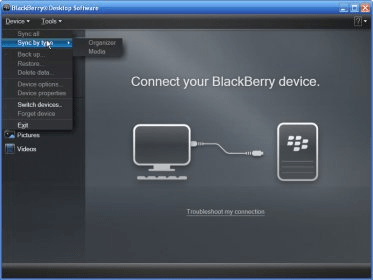
Main screen Main screen Memory status and playlists tab Memory status and playlists... Options tab Options tab Files sync Files sync
All 5 screenshots

Latest comments

Steve(beginner) 2 years ago 
THis Version is the UK Version. Not USA
Reply
Add new comment

E-mail Address:

Password:

Register now »

Forgot password?

Sign in with:
Download Software Informer Client
Copyright © 2012, Informer Technologies, Inc. About| Privacy and terms| Help| Feedback & Support| Partners program
